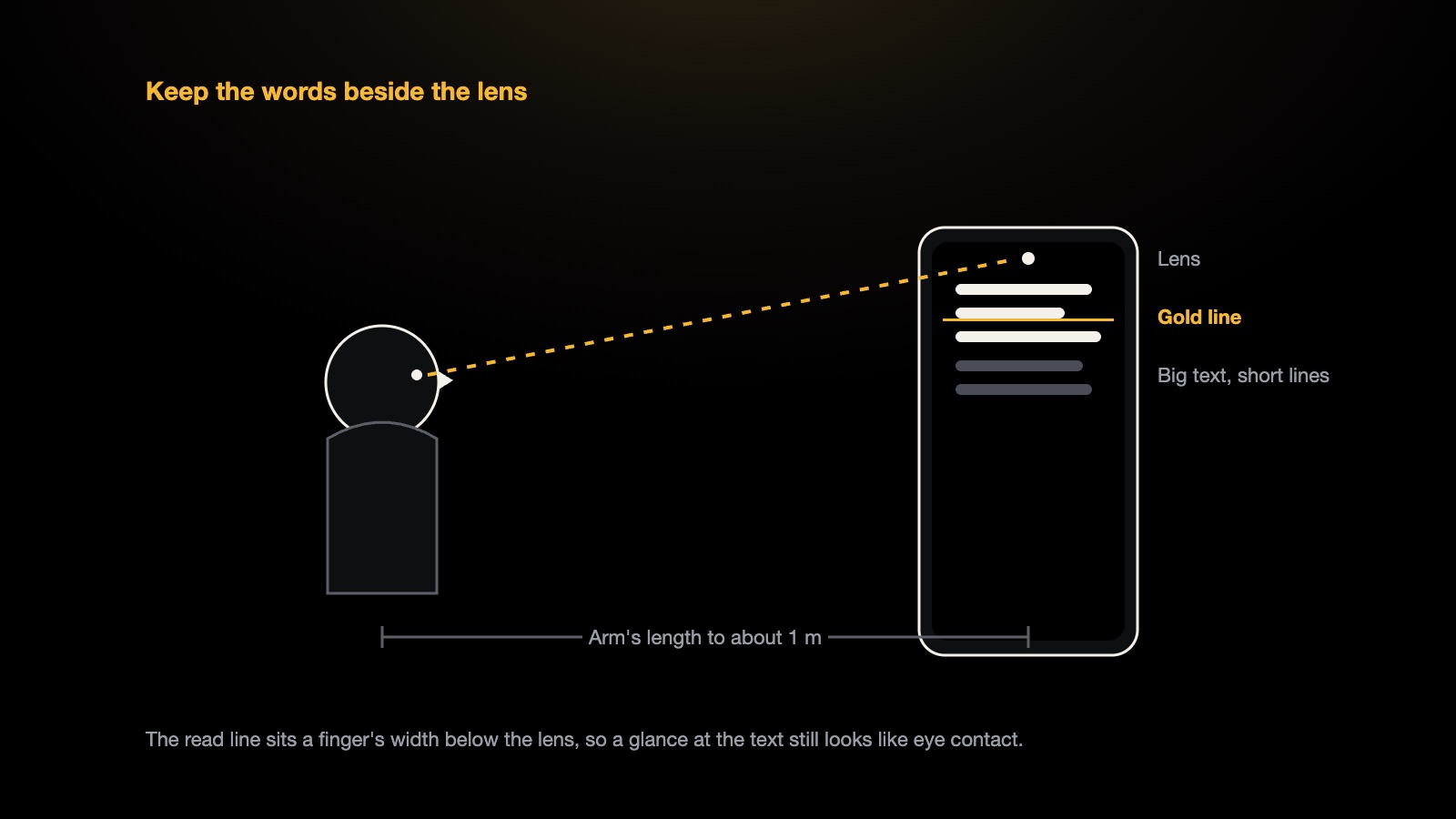
To look at the viewer while you read from a phone, put the text at the top of the screen, right beside the lens, and keep the lines short. The closer your eyes are to the lens, the more it looks like you are talking to the viewer.
Why you look away, even when you are trying not to
Your eyes go where the words are. If the words sit in the middle of the screen and the lens is at the top edge, the camera sees your eyes pointing slightly down. On a phone held at arm's length that gap is small, but video shows it. It looks worse if the lines are long, because your eyes also sweep from side to side.
Two things fix almost all of it: put the text next to the lens, and make it so your eyes move down more than across.
Where the text sits relative to the lens
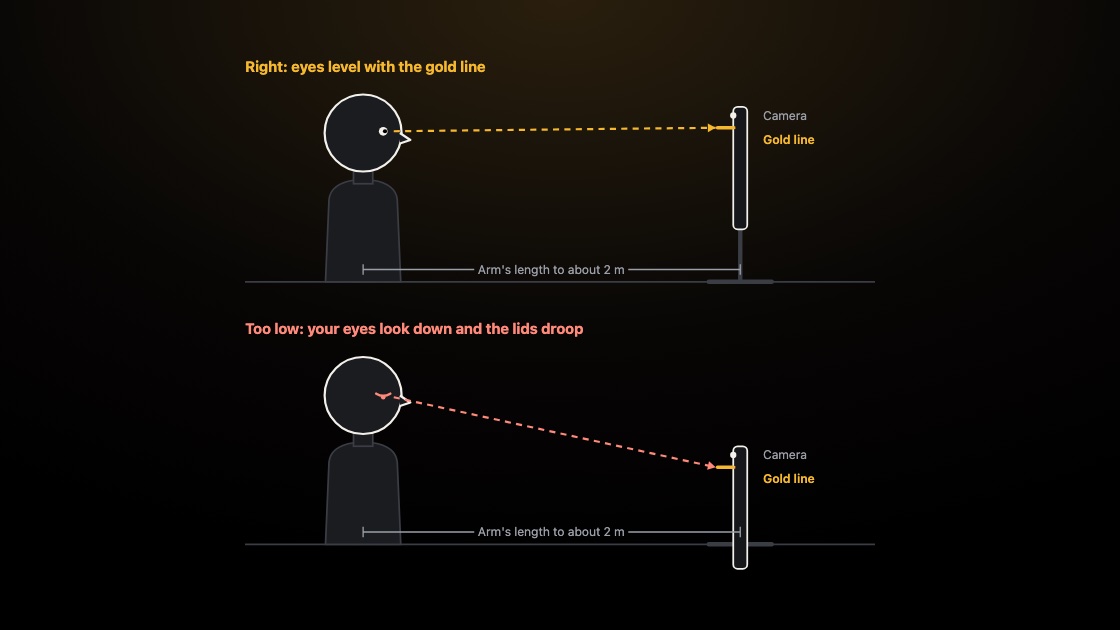
On most phones the front camera is at the top edge, in the middle when held upright. Put the line you are reading as high on the screen as is comfortable. In TeleprompterThis, that is the gold read line. In Display, the Read line row sets how far down it sits, and the lowest percentage puts it at the top of the screen. Then raise the phone until that line is at your eye height. Our guide to where to put your teleprompter shows why a low prompter makes eyes look half closed.
Words further down the screen are the ones you have not read yet. They are fine to see, but keep your eyes on the top line.
Which camera to use
Use the front camera. The lens is at the edge of the screen with your script on it, so the angle between the text and the lens is as small as a phone can make it. TeleprompterThis records with the front camera.
The back camera usually has better quality, but you cannot read your own screen while it faces the viewer. If you want that quality, put the text on a second device, such as an iPad on a stand right behind the camera, and record with the phone's own camera app. For a setup like that, see using an iPhone as a remote for an iPad teleprompter.
How far to hold the phone
Start at about arm's length, or up to a metre if the phone is on a tripod. Further away, your eyes cover less ground as you read, which means less visible movement. But the text has to be larger to stay readable. The right distance is the furthest one where you can read without leaning in or squinting.
Fix the phone on a tripod or stand if you can. A phone held in your hand drifts, and so do your eyes.
Text size and line length
Make the text bigger than feels natural. Big text is read in less eye movement. In TeleprompterThis, Text size is in Display and goes up to 120 pt. Raise it until you can read comfortably from where you sit.
Make the column narrow. A short line is read with your eyes moving down, and a long line is read with them moving across. The camera sees across. In Display, Side margins narrows the column, up to 30 percent each side. Aim for three to five words a line on a phone.
Why narrow columns near the top work
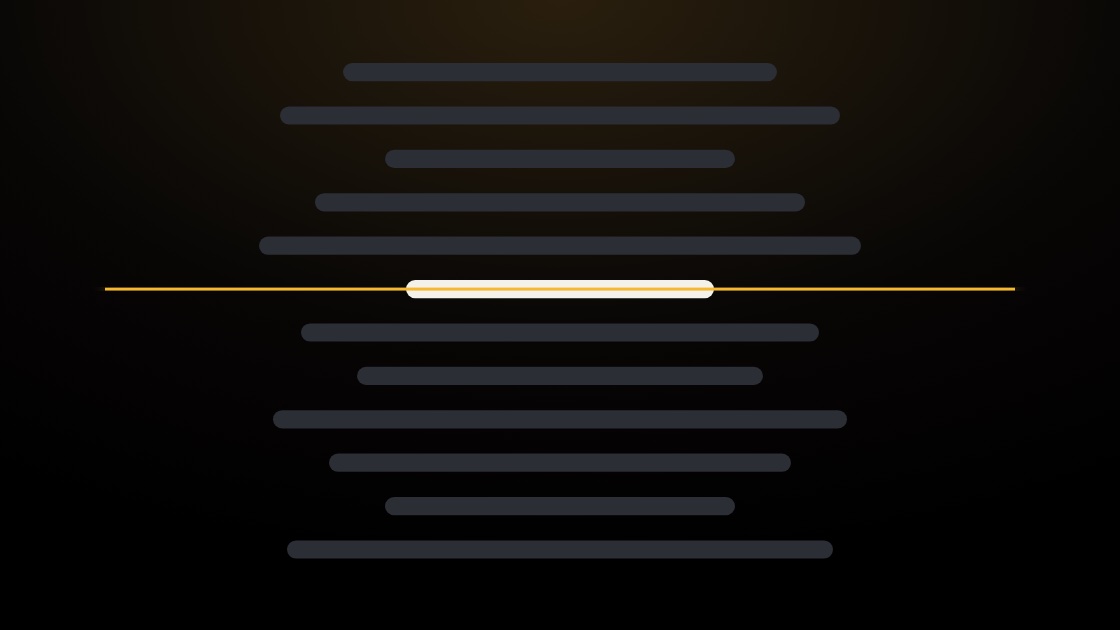
Put the two together. A narrow column keeps every word close to the middle of the screen, where the lens is. A read line near the top keeps your eyes close to the lens vertically. The result is that your eyes travel a short distance down a short line, close to the camera, instead of a long way across a wide screen.
Think of it as a small window at the top of the screen. You are not reading the page, only the line in the window.
Habits that help
- Look into the lens at the end of a thought. A
[LOOK]cue placed after a key sentence reminds you to finish it to the viewer. - Read two or three words, then look up. It is how people talk to each other.
- Slow the scroll or use voice follow. Rushing makes your eyes chase the text. When the text follows your voice, it never runs ahead of you.
- Keep your head level. Raise the phone instead of tipping your head down to it.
- Put the light on your face so your eyes show.
A two-minute test
- Set the phone at your starting distance, with the read line near the top.
- Record a short take with the front camera. Your first three takes are free.
- Watch it with the sound off. Look for eyes darting, drooping lids and a fixed stare.
- Change one setting, such as Text size or Side margins, and record again.
For more on delivery once the setup works, see how to read a teleprompter without sounding robotic, or the short list in 17 quick teleprompter tips.
Frequently asked questions
Where should the text be on a phone when I record?
At the top of the screen, as close to the camera lens as you can get it. The smaller the gap between the text and the lens, the less your eyes appear to move.
Which camera should I use to record myself reading?
The front camera, because the lens sits at the edge of the screen you are reading. The back camera often looks better, but you cannot see a screen on the lens side, so you need a second device for the text.
How far should I hold the phone?
About arm's length, or up to a metre on a tripod. Move back until your eyes barely move as you read, and make the text large enough to read from there.
Do I have to look at the lens the whole time?
No. Looking at the lens for every word looks fixed and strange. Read a few words from the text, look into the lens to say them, then glance back, and finish each key thought on the lens.