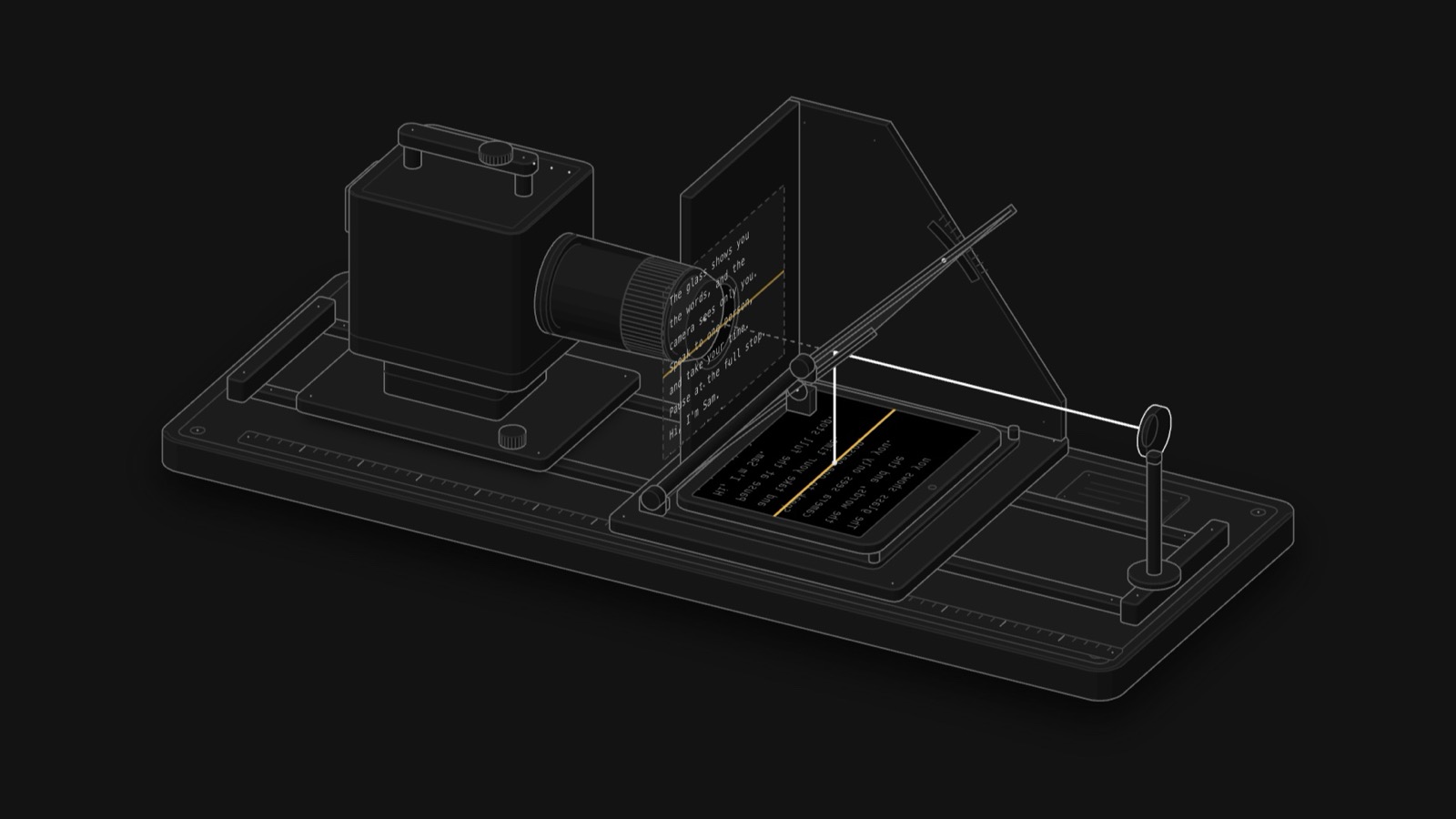
A teleprompter puts the script right in front of the camera lens, so you can read it while looking straight into the camera. The camera never sees the words. The trick is a sheet of glass that is part mirror and part window.
The four parts
- A screen lying face up. An iPad or a monitor lies flat under the glass and shows the script.
- Glass at 45 degrees. Beam-splitter glass reflects some light and lets the rest through. You see the screen's reflection floating over the lens. The camera looks through the same glass and sees you.
- A hood. Cloth or panels close in the camera side of the glass so it stays dark. That is why the camera does not pick up the reflection: there is nothing bright on its side of the glass to reflect.
- The camera behind the glass. The lens sits in the hood, pointing through the glass at you.
Why the script is mirrored
A reflection reverses an image left to right. If the screen showed normal text, you would read it backwards in the glass. So the screen shows the script mirrored, and the glass turns it the right way round. In the drawing above, the text on the iPad is back to front and the page you see over the lens reads normally.
In TeleprompterThis, open the prompter settings and turn on Mirror horizontally under Mirroring whenever the iPad goes under glass. Leave it off when you read the iPad directly.
Why the glass sits at 45 degrees
At 45 degrees, the screen lying flat reflects as an upright page standing over the lens. Your eyes land on the words and on the lens at the same time, and that is what looks like eye contact on camera.
Move your pointer across the drawing to tilt the glass. Every degree of tilt leans the reflected page by two degrees. Most rigs fix the glass at 45 degrees for that reason. If yours can tilt, set it to 45 and lock it.
Light, distance and text size
- The glass costs some light. The camera films through glass, so the picture is a little darker. Add a little light on your face to make up for it.
- Keep the hood closed. Light leaking in behind the glass shows up as reflections in your video.
- Text size depends on distance. The farther you sit from the glass, the larger the text needs to be. A narrow column also helps, since your eyes then only move down, not side to side. Our guide to where to put your teleprompter has the distances.
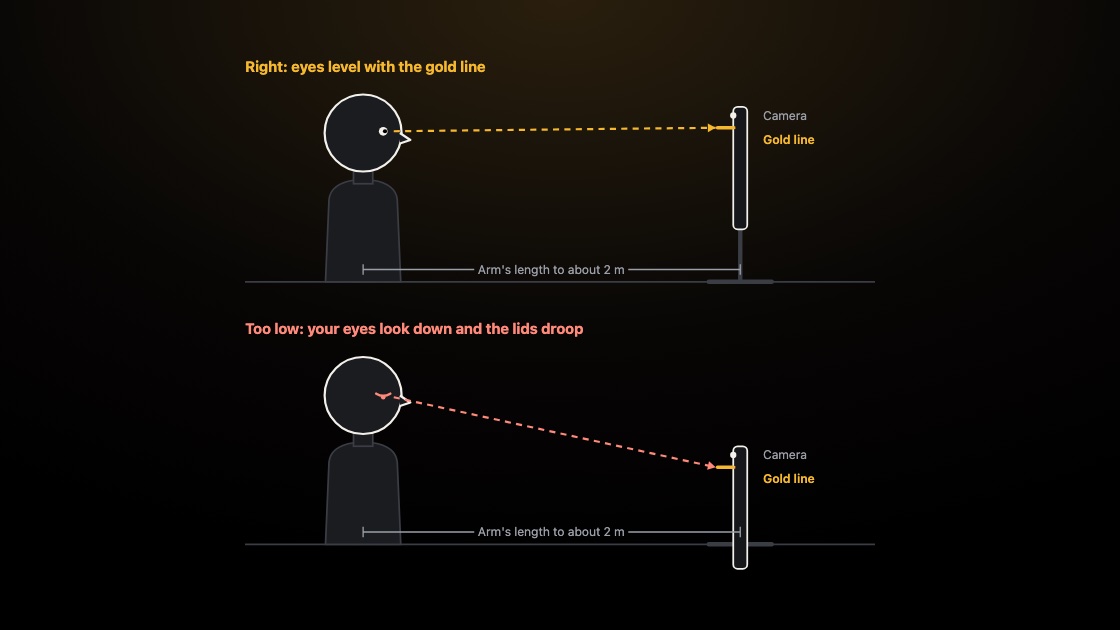
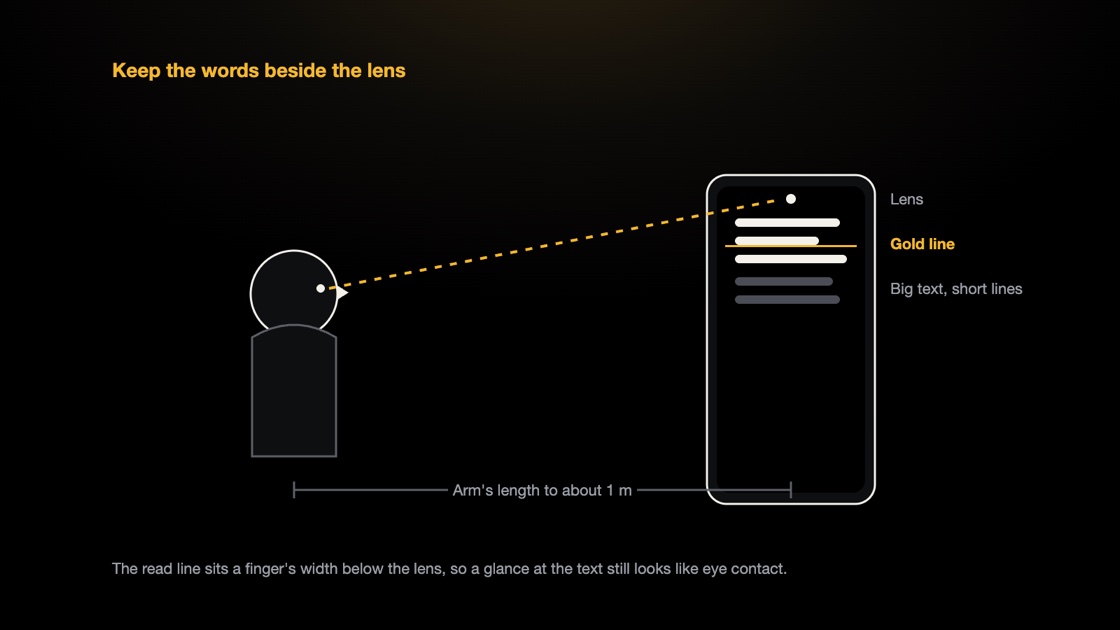
- The read line. TeleprompterThis draws a gold read line across the screen. Keep reading at that line and the words you are saying stay over the lens.
Without glass
You do not need a glass rig to read a script on camera. On a phone, keep the text just under the front camera. With an iPad, put it right under or beside the camera. Your eyes are a little off the lens, but the smaller the gap, the less it shows. See eye contact when recording on your phone.
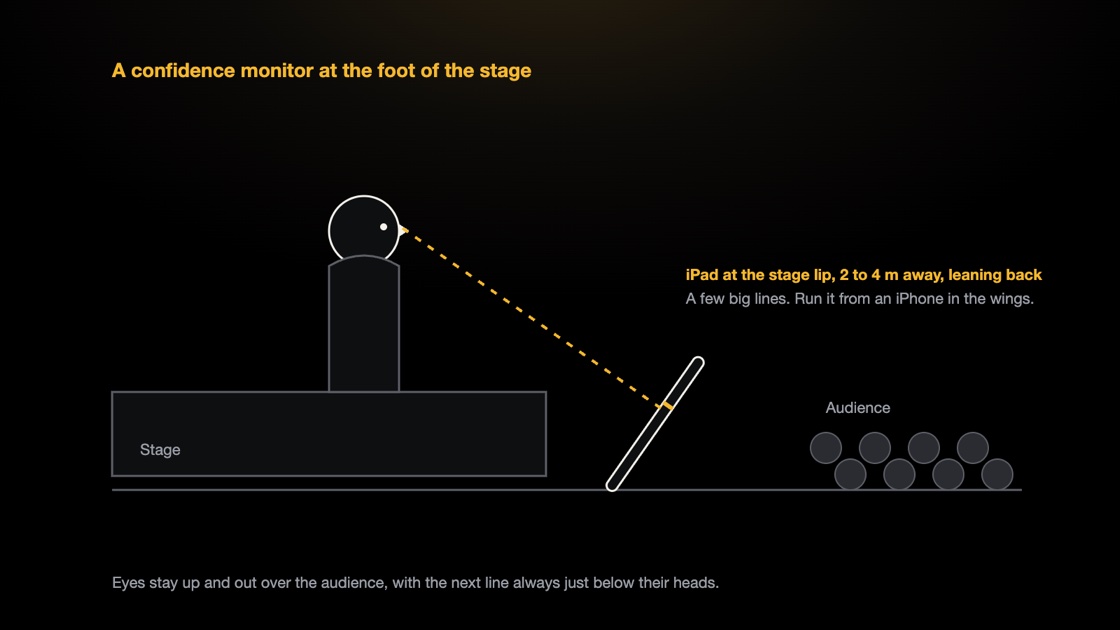
A screen at the front of a stage, facing the speaker, works without glass too. That is a confidence monitor.
Frequently asked questions
Why is teleprompter text mirrored?
A reflection reverses the image left to right. The screen shows the script mirrored so that the reflection in the glass reads the right way round. In TeleprompterThis, turn on Mirror horizontally under Mirroring in the prompter settings when you put the iPad under glass.
Why can't the camera see the words?
The glass reflects only part of the light. The bright screen's reflection goes towards you, and the camera sits in a dark hood behind the glass, where there is nothing bright to reflect. So the camera looks straight through the glass and sees you.
Why is the glass at 45 degrees?
At 45 degrees the screen lying flat underneath reflects as an upright page, right on the line of the lens. Tilt the glass by one degree and the reflected page leans by two, so the words are harder to read and sit off the lens.
Do I need glass to use a teleprompter?
No. Without glass, put the script as close to the lens as you can: just under the front camera on a phone, or an iPad on a stand right under the camera. Your eyes are a little off the lens, but the closer and smaller the gap, the less it shows.